You can run a loyalty program without an app by using paper cards, a phone number lookup, or a digital card that lives in Apple Wallet or Google Wallet. Wallet cards are the strongest no-app option. Customers add them in a few taps, and they update on their own.
Why skip the app in the first place?
Because every extra step loses people. An app means a download, an account, a password and a spot on a crowded home screen. That is a lot to ask in a line for one muffin.
There is the cost side too. A custom app needs building, app store approval and updates every time the phones change. That is big-chain money. Our comparison of wallet cards vs a custom loyalty app lays it out.
What are the no-app loyalty options?
There are three common ones. Each has a place.
Paper punch cards
Cheap and simple. Easy to lose and easy to fake. You learn nothing about who comes back.
Phone number lookup
Staff type the number at the till. Slow in a rush, and some people don't like saying it out loud.
Wallet cards
A card in Apple Wallet or Google Wallet. No download, updates itself, can show short messages.
Paper still works for some. But if you want fewer lost cards and a way to reach people who stopped coming, a wallet card is the step up. See the full side by side in paper punch cards vs digital stamp cards.
How does a wallet loyalty card work without an app?
It uses the wallet app that is already on the phone. iPhones have Apple Wallet. Most Android phones have Google Wallet. Your card just moves in.
- Customer scans your QR code. Or taps a link from your Instagram bio.
- Types a first name. You can ask for more, but you don't have to.
- Taps "Add to Wallet." The card is saved on their phone.
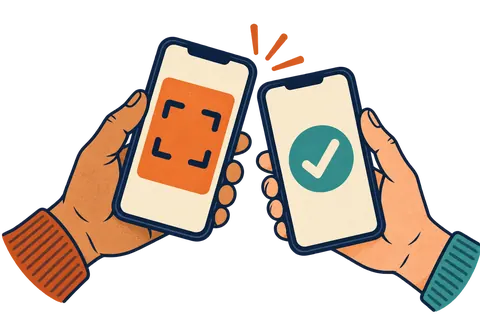
- Staff scan it on each visit. The stamp shows up on the card by itself.
- The reward appears. When the card is full, the treat is right there on it.
Do my staff need an app to stamp cards?
Not if you pick the right tool. With Regulars, staff open a scanner page on any phone or tablet, sign in with a 4 to 6 digit PIN, and point the camera at the card. No special hardware, no app download, no new terminal by the till.
What do I lose by not having an app?
Less than you might think. Most of what a small shop wants from an app, a wallet card covers.
- ✅ Stamps and rewards on the phone. Covered.
- ✅ Reminders and short messages. Covered. They show on the card and can pop up on the lock screen.
- ✅ Knowing who your regulars are. Covered. You see who is new, active and quiet.
- ❌ Mobile ordering and in-app payment. Not part of a wallet card. If you need those, that is a different tool.
What messages can I send without an app?
Short, friendly ones that help the customer. Here are a few that work well on a wallet card.
Customers can switch these off anytime, so keep it to the good stuff. We go deeper in how to win back customers who stopped coming.
How do I set up a no-app loyalty program this week?
Pick a reward, set up the card, put up a poster and train staff on one sentence. That is a week's work at most, often an afternoon.
- 🎯 Monday: choose your reward. Something people already buy, like a coffee or a slice.
- 🛠️ Tuesday: set up the card and try it on your own phone.
- 🖨️ Wednesday: print the QR poster and put it by the till.
- 🗣️ Thursday: teach staff the line: "Want our stamp card? It goes in your phone's wallet."
- 📣 Friday: post the link on social media and in your bio.
Which tool should I use?
Look for one that works on both iPhone and Android, needs no customer download, and lets staff scan with any phone. A free trial helps too, so you can test it with real regulars.
That is what we built with Regulars, from a small town in Ontario. Your customers add a card to Apple Wallet or Google Wallet with a first name. Six helpful automatic messages are on from day one. Plans start at $49 a month with a 30-day free trial. Peek at pricing when you're ready. No app, no fuss, good vibes.
Questions people ask
Can I run a loyalty program without an app?
Yes. You can use paper cards, a phone number lookup at the till, or a wallet card that lives in Apple Wallet or Google Wallet. None of these need a custom app.
What is the best no-app loyalty option?
For most small shops, a wallet card. It lives on the customer's phone, updates itself and can show short messages, with no download.
Why don't customers like loyalty apps?
Installing an app, making an account and remembering a password is a lot to ask for a coffee. Many people skip it, so fewer join.
Do my staff need an app to stamp wallet cards?
Not with Regulars. Staff scan the card in a web page on any phone or tablet, signed in with a short PIN.
Is a custom loyalty app ever worth it?
It can be for big chains with ordering and payment built in. For a single shop, the cost and effort are usually hard to justify.