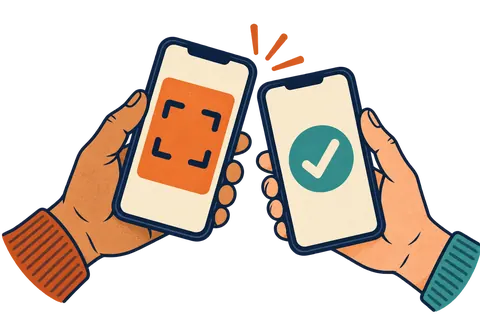

A Google Wallet loyalty card is a stamp or points card saved in the Google Wallet app on an Android phone. The customer scans your QR code, taps "Add to Google Wallet," and the card is saved. Staff scan it to add stamps, and the card updates itself.
How does a customer add a loyalty card to Google Wallet?
They scan your code, fill in a tiny form and tap one button. No account with your shop, no password, no app store trip.
- Scan the QR code. Most Android cameras read QR codes. A link appears. They tap it.
- Type a first name. That is often all you need. You can also ask for email or birthday.
- Tap "Add to Google Wallet." Google shows the card.
- Save it. The card now sits in the Google Wallet app with their other passes.
Where does the card show up on an Android phone?
It shows up in the Google Wallet app. Customers open Wallet, tap your card and show the QR code at the counter.
Loyalty cards sit with passes like boarding passes and event tickets, separate from payment cards. Google's help page on loyalty cards and gift cards covers the customer side if anyone asks.
How do stamps get added?
Staff scan the code on the customer's card. With Regulars, staff use any phone or tablet, signed in with a 4 to 6 digit PIN. The stamp saves, and the card on the customer's phone updates a moment later.
When they hit the target, the reward shows on the card. Staff scan again to redeem it, and a fresh card starts.
What does the customer see after a stamp?
They see the new stamp count on the card in Google Wallet. They don't have to open a link or refresh anything.
That small moment matters. Seeing "7 of 10" right after paying reminds people the reward is close. If you turn on helpful messages, the card can also say things like "Two more to a free drink." It keeps your shop in mind between visits without anyone digging out a paper card.
Is Google Wallet different from Apple Wallet for my shop?
For you, barely. The card looks a little different on each phone, but the program is the same: same reward, same stamps, same QR code at the counter.
| Apple Wallet | Google Wallet | |
|---|---|---|
| Phones | iPhone | Most Android phones |
| Button | Add to Apple Wallet | Add to Google Wallet |
| Updates after a stamp | Yes | Yes |
| Short messages | Yes | Yes |
| Customer can remove it | Yes | Yes |
The main thing: use a tool that makes both. If you only support iPhone, every Android customer is left out. For the iPhone side, see how to add a loyalty card to Apple Wallet.
Can I send messages to a Google Wallet card?
Yes. You can send short updates that show on the card and can show up as a notification. Keep them short and useful, because customers can turn them off.
We have a full guide to messages that show on a customer's phone, with more samples you can copy.
How does a customer remove the card?
They open Google Wallet, tap the card, scroll to the bottom and tap "Remove pass." Google lays this out on its page about managing items in Google Wallet.
It is worth knowing that removing is that easy. If your messages feel pushy, people will clear the card out. A good tool will show you who removed the card, so you can spot when your messages are too much.
What should I set up so Android customers join too?
Use one QR code, one link and one line from staff. The sign-up page should show the right button for each phone.
- 📱 Test it on an Android phone yourself. Borrow one from staff and run through sign-up before launch.
- 🗣️ Say "your phone's wallet," not "Apple Wallet." Android folks may think the card is not for them.
- 🖼️ Show both logos on your poster. People look for the one that matches their phone.
- 🔗 Put the link online too. Your Instagram bio, your website and your Google listing all work.
How do I get a Google Wallet loyalty card for my shop?
Use a service that makes wallet cards for both phones. Regulars does this: one card program, both Apple Wallet and Google Wallet, from one counter poster. Customers join with a first name. Staff scan with any phone. Plans start at $49 a month, with a 30-day free trial and no contract. Check the pricing when you are ready.
Android or iPhone, every regular gets the same groovy card.
Questions people ask
How do I add a shop's loyalty card to Google Wallet?
Scan the shop's QR code or tap its link, fill in the short form, and tap Add to Google Wallet. The card is saved to the Google Wallet app on your phone.
Do Android customers need to download an app?
Most Android phones already have Google Wallet. If a phone does not, it is a free download from Google, and no shop app is needed.
Does a Google Wallet loyalty card update by itself?
Yes. When the shop adds a stamp, the card on the phone updates on its own.
How do I remove a loyalty card from Google Wallet?
Open Google Wallet, tap the card, scroll to the bottom and tap Remove pass.
Can one QR code work for both iPhone and Android customers?
Yes, with most wallet loyalty tools. The sign-up page shows the right button for the customer's phone.