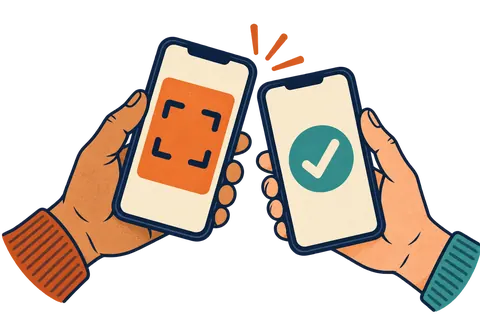
To add a loyalty card to Apple Wallet, a customer scans the shop's QR code or taps its link, then taps "Add to Apple Wallet." The iPhone shows a preview of the card, and they tap "Add." The card now lives in the Wallet app, next to their bank cards and boarding passes.
What does the customer do, step by step?
For the customer it takes a few taps and no app download. Here is what it looks like with most wallet loyalty cards, including Regulars.
- Point the camera at the QR code. The iPhone camera reads QR codes on its own. A link pops up. They tap it.
- Fill in a short form. Often just a first name. Some shops also ask for email or birthday.
- Tap "Add to Apple Wallet." This is the black button with the Wallet icon.
- Tap "Add." The iPhone shows the card. The Add button sits in the top corner.
- Done. The card is now in the Wallet app.
Apple's own help page on adding passes to Apple Wallet describes the same flow: tap "Add to Apple Wallet," then tap "Add" if asked.
Where do they find the card later?
The card lives in the Wallet app on the iPhone. They open Wallet and tap the card to show its QR code at your counter.
Many people also open Wallet with a quick double-click of the side button (or the Home button on older iPhones). That brings up their cards fast, which is handy in a line.
How does the shop add a stamp?
Staff scan the QR code on the card. With Regulars, staff can use any phone or tablet camera, signed in with a short PIN. The stamp is saved, and the card on the customer's iPhone updates by itself a moment later.
The customer does not need to refresh anything. The new stamp just shows up. When the card is full, the reward appears right on it.
Why is Apple Wallet a good home for a loyalty card?
Because it is already on the phone and people already use it. Nobody wants one more app for one more coffee shop.
Quick sign-up
No account, no password, no app store. A few taps at the counter.
Updates itself
Stamps and rewards show up on the card without the customer doing anything.
Can show messages
Short updates can appear on the card and pop up on the lock screen.
Hard to lose
It goes where the phone goes. No more "I left my card at home."
Want the bigger picture? Read what a digital punch card is and how it compares to paper.
What about customers with Android phones?
Android users use Google Wallet instead. The steps are close: tap the link, tap "Add to Google Wallet," and save. A good loyalty tool gives both buttons from the same QR code, so you only need one poster. We cover the Android side in how loyalty cards work in Google Wallet.
Can the customer turn off messages or remove the card?
Yes. Customers stay in control, and that is a good thing for trust.
- 🔕 To turn off messages: open the card in Wallet, tap the More button (three dots) and look in the card's details for the notification switch.
- 🗑️ To remove the card: open Wallet, tap the card, tap the More button, then tap "Remove Pass." Apple explains this on its page about removing passes from Apple Wallet.
Because people can switch messages off in a second, send only things they would want to see. A reward is ready. They are one stamp away. A rainy day deal. Not three ads a week.
How do I get more customers to add the card?
Make it easy to see and easy to say. Most of the work is your counter setup and one line from staff.
- 📍 Put the QR code at eye level near the till, where people wait to pay.
- 🗣️ Ask, don't hope. "Want our stamp card? It goes in your Apple Wallet."
- 🎁 Stamp it right away. Scan the new card for today's purchase. A card with one stamp feels worth keeping.
- 🔗 Share the link online. Put it in your Instagram bio and on your website.
How do I offer an Apple Wallet loyalty card for my shop?
You need a tool that makes wallet cards for you. Building one yourself means an Apple developer account and a lot of setup, so most small shops use a service.
Regulars is one we make here in Ontario. You set your reward, print the counter poster it makes for you, and your customers add the card to Apple Wallet or Google Wallet with just a first name. Plans start at $49 a month with a 30-day free trial. See how it works. Far out, and no app in sight.
Questions people ask
How does a customer add a loyalty card to Apple Wallet?
They open a link or scan a QR code from the shop, then tap Add to Apple Wallet. iPhone shows a preview of the card, and they tap Add in the top corner.
Does the customer need to download an app?
No. Apple Wallet comes with every iPhone. The card goes straight into it.
Can I put any loyalty card in Apple Wallet?
Only if the business offers a Wallet version. If you don't see an Add to Apple Wallet button, the shop does not support it yet.
How does a customer remove a card from Apple Wallet?
They open Wallet, tap the card, tap the More button (three dots), then tap Remove Pass and confirm.
Will the card update on its own after a stamp?
Yes, a wallet loyalty card can update itself when the shop adds a stamp. The customer does not need to do anything.